Changing the Default Directory for SFTP Connections
By default, the SFTP protocol settings specify the path /tmp/. This means that when you connect, you will only see the files in this folder and will not be able to move to a higher-level directory.
This is done for security reasons: files are meant to be transferred strictly into /tmp/, and then, within the SSH session, moved to the required directories with the appropriate permissions.
However, in some cases, you may need to change the default directory for SFTP connections.
Changing SFTP Connection Parameters
The protocol parameters can be modified in the platform settings (System settings → Platforms), but for the built-in default platforms, the settings are locked. Therefore:
-
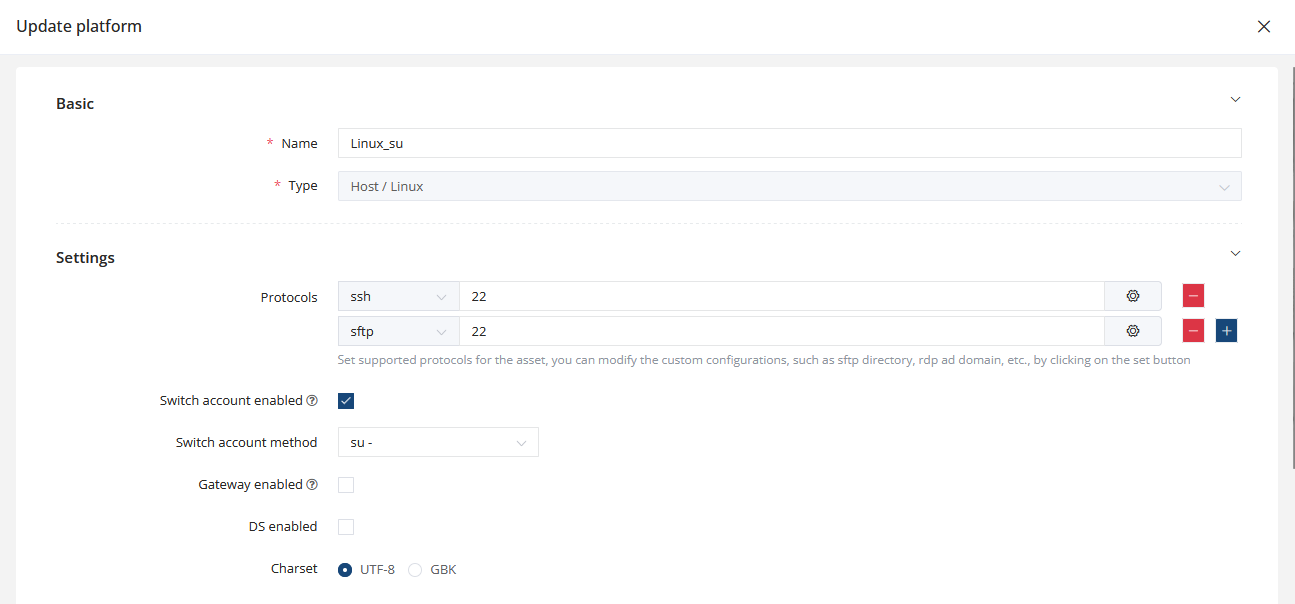
Go to System settings → Platforms, locate the required platform (e.g., Linux), click the three dots on the right, choose Duplicate, and save the copied platform under a new name.
-
Find your newly created platform in the list, click Edit, and the platform settings will open.

-
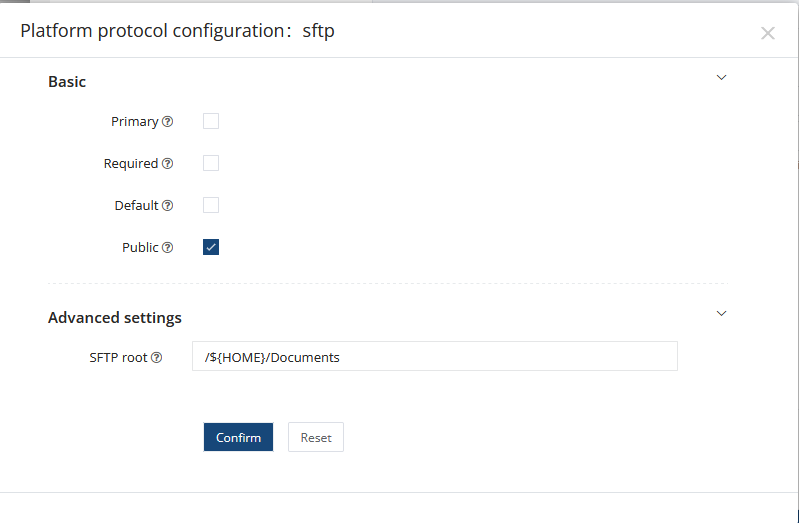
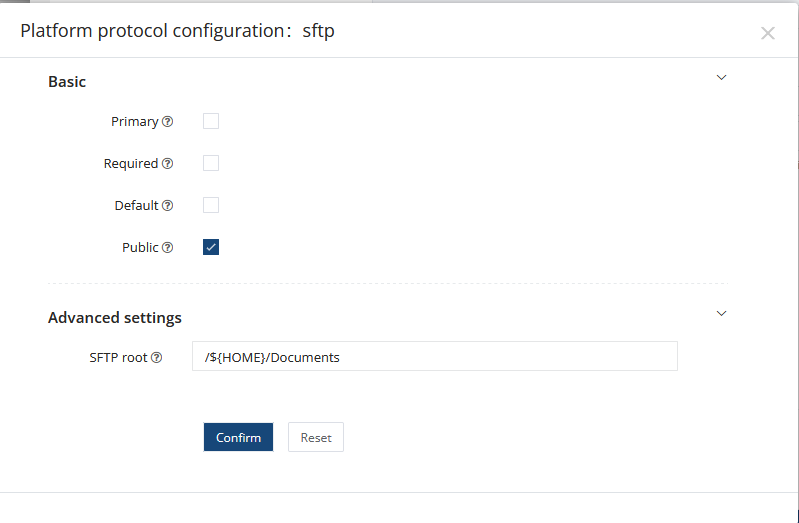
In the list of protocols, locate SFTP, click the gear icon, and you will see the directory that opens by default in an SFTP session.
-
In the SFTP root parameter, you can specify:
-
a specific folder,
-
the root directory
/, -
or use standard variables such as:
-
${ACCOUNT} — the account name
-
${HOME} — the home directory of the authenticated account
-
${USER} — the username
-
-
-
Save your changes.
You can create multiple platforms with different SFTP paths and assign them to different assets as needed.