Configuring External Storage for Session Recordings in JumpServer
Storing a large volume of session recordings is a significant challenge, especially when there are many users or when JumpServer is deployed in a distributed environment. In such cases, local storage is insufficient, and an external unified storage system is required.
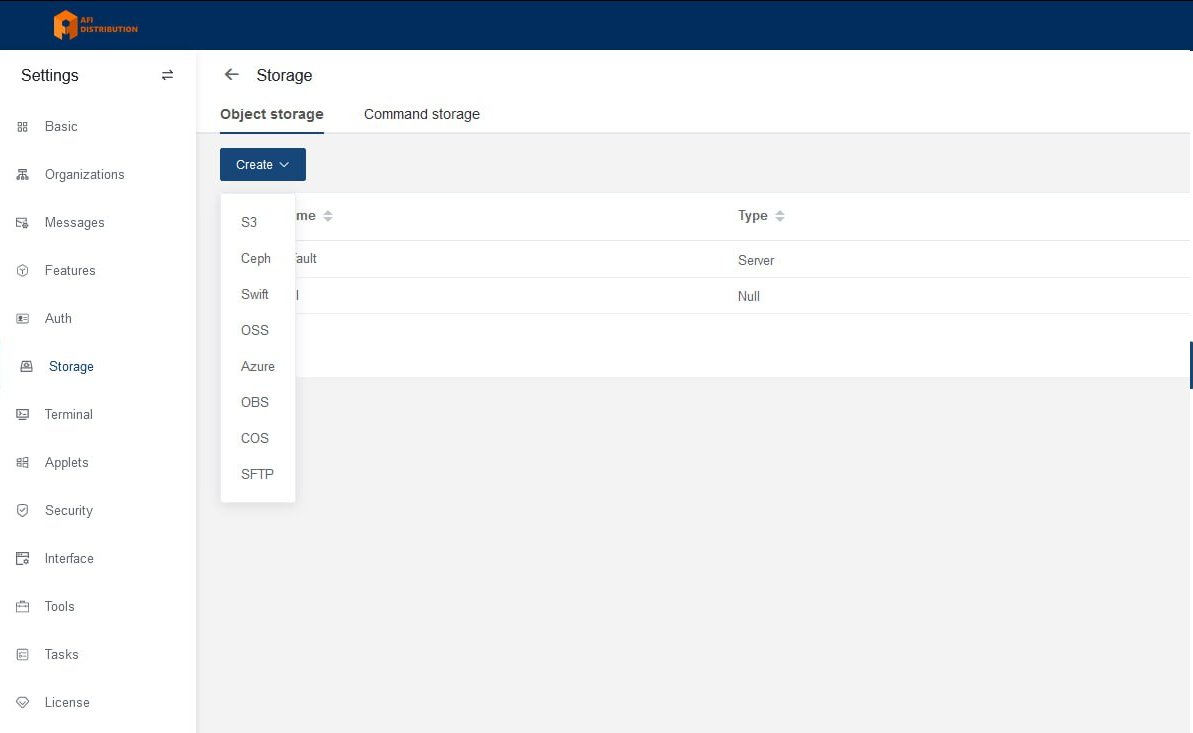
Supported storage systems:
-
S3 (any S3-compatible storage)
-
Ceph
-
Swift
-
OSS
-
Azure
-
OBS
-
COS
-
SFTP
Connecting External Storage
-
Go to System settings → Storage.
-
In the Object storage tab, click Create and choose the type of storage you want to configure.
-
Enter the required parameters and click Submit to save the configuration. You will see the newly added storage in the list.
-
On the right, click More → Test to verify the configuration.
-
Click Set to default to make this storage the primary storage.
-
Apply the same settings on all JumpServer nodes.
Important Note
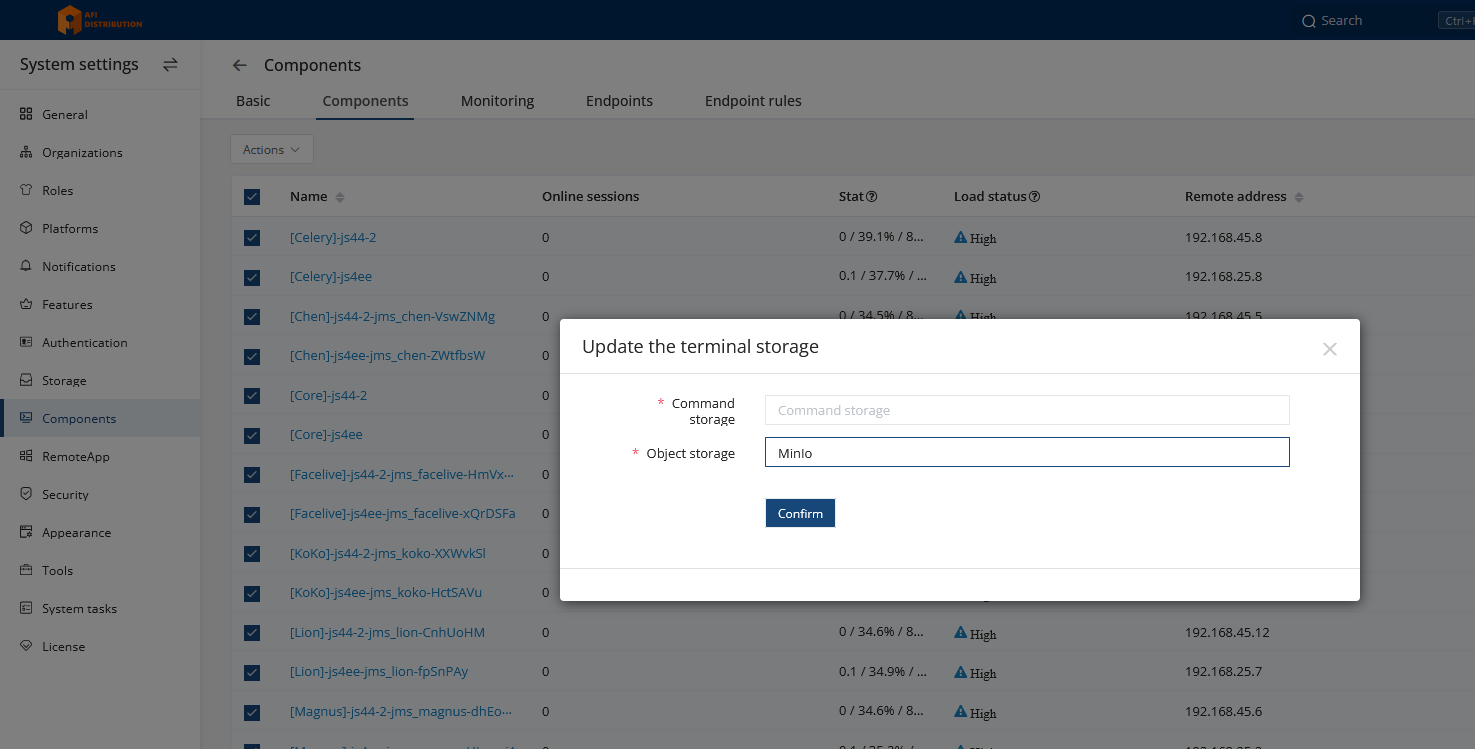
Sometimes the Default setting does not apply correctly. Therefore, it is recommended to explicitly assign the storage in the component settings:
Go to System settings → Components, open the Components tab, select all components, click Actions → Edit, and choose your storage in the Object storage field: