
Configuring Asset Discovery in Local Networks and Cloud Platforms
One of the tasks during the implementation and maintenance of a PAM solution is adding and managing the list of devices that must be accessed through PAM.
JumpServer can scan a local network or cloud platforms for supported devices and automatically add them to the asset list, taking into account their type and available ports.
The following platforms are supported for automatic import (see screenshots):

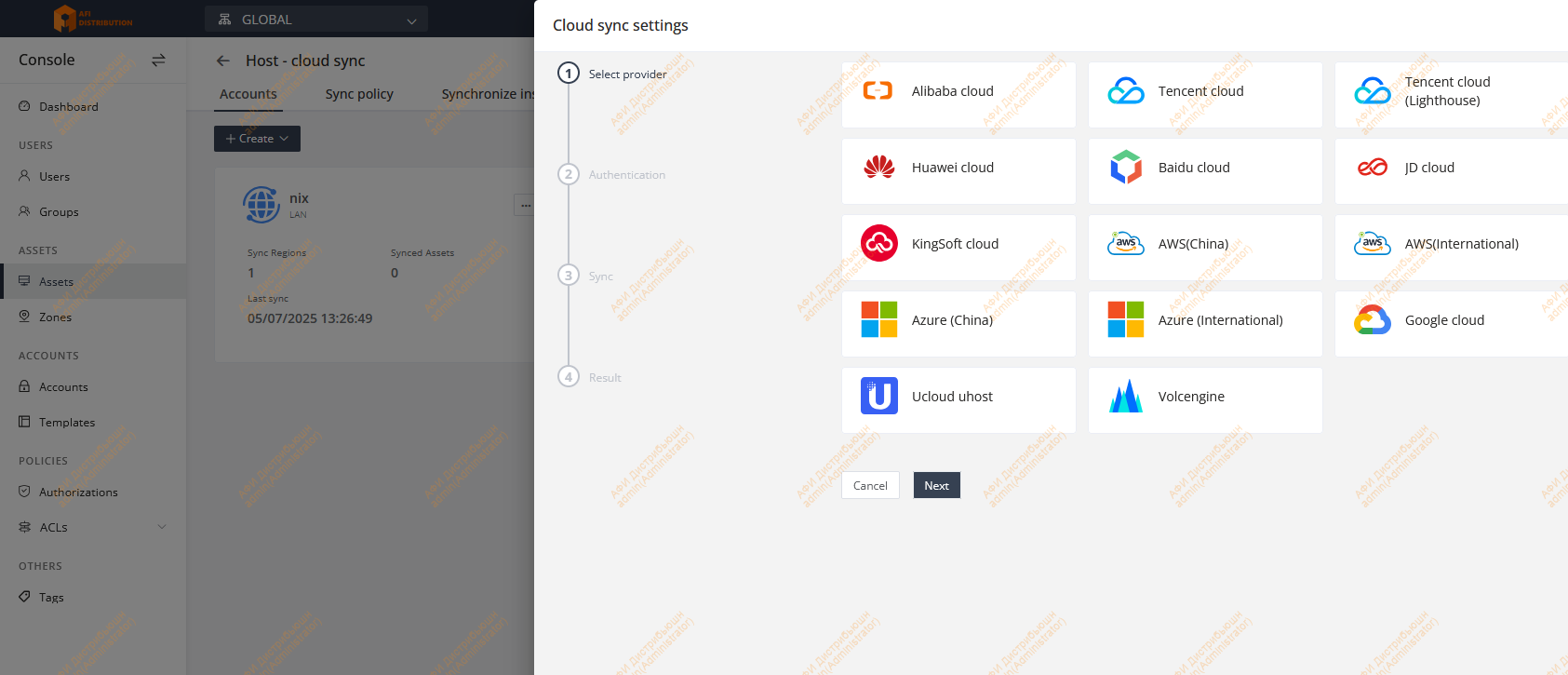
Configuring Asset Discovery in a Local Network
Setting Up Automatic Synchronization
-
Go to Console → Assets → Assets.
-
In the Hosts tab, click Cloud sync.
-
In the Sync policy tab, create or modify an existing policy (example shown in the screenshot).
The policy defines the parameters that will be assigned to an asset after it is discovered.
-
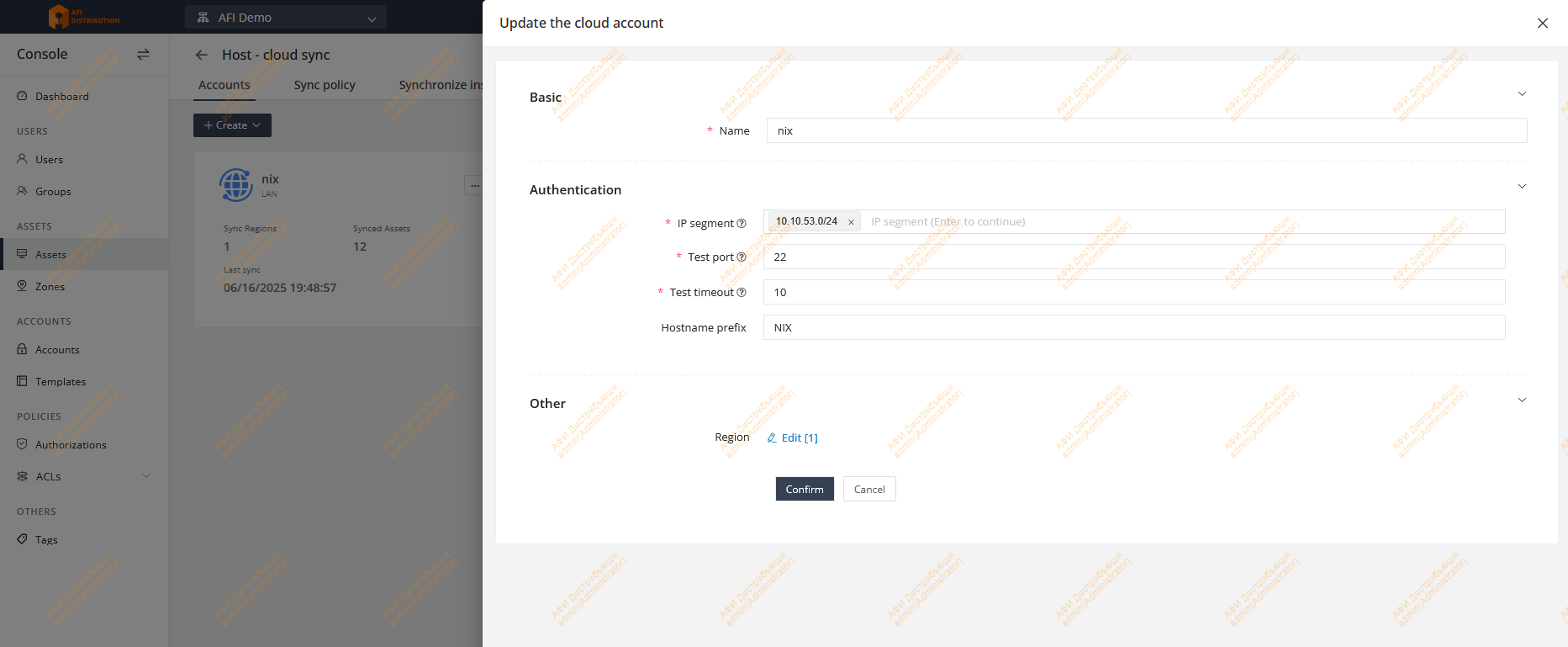
In the Accounts tab, click Create and select the required account type — LAN.
-
Fill in the necessary information (see the example screenshot showing a local network scan for Linux systems).
-
Click Submit to save the configuration.
-
You can now run the discovery manually (Manually execution) or configure scheduled discovery (Timer execution).


Make sure the Strategy field specifies the synchronization policy you created earlier.
