
How to connect to domain assets using a single domain account?
In previous versions of JumpServer, a user account (UA) was strictly bound to a specific asset, meaning it was not possible to connect to multiple assets using the same domain account without duplicating that account.
In the latest versions of JumpServer, this capability has been added:
Go to Console → Assets → Directory Service and create a directory service asset by specifying the domain parameters
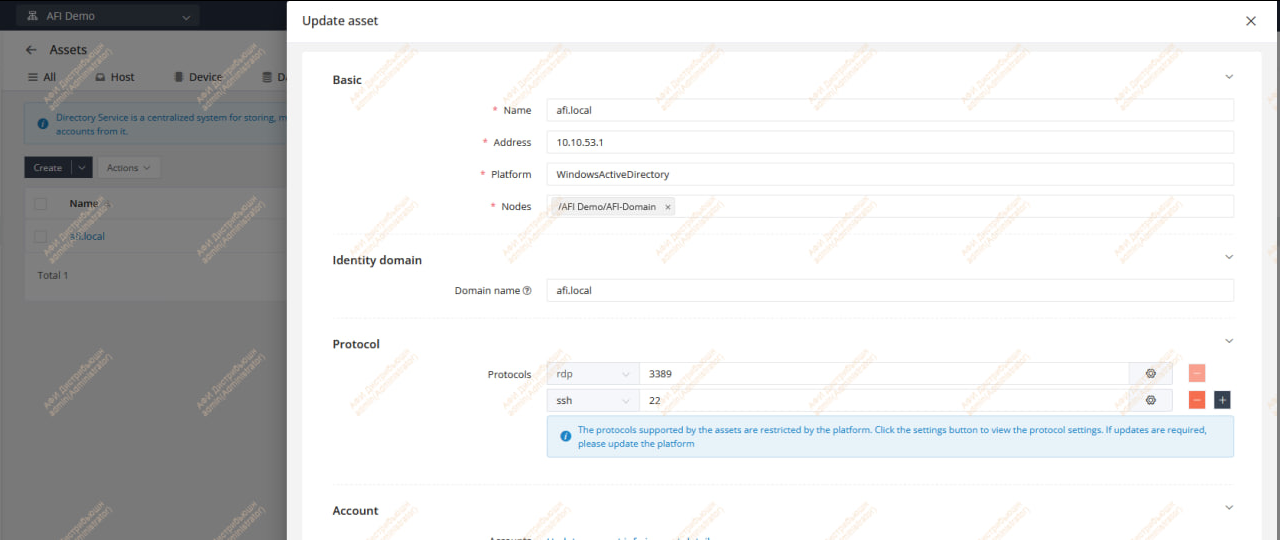
Note: If you do not see the Directory Service tab, update JumpServer to the latest version.
Add the required domain accounts to this directory service asset.
In System Settings → Platforms, select the platform used for domain assets (for example, Windows2016) and enable the DS Enabled option.
Note: If the platform is a default one and cannot be edited, simply create a duplicate of it.
In Console → Assets, select the required asset and open it for editing. At the bottom, you should see the Directory service parameter. Specify the name of the DS asset you created.
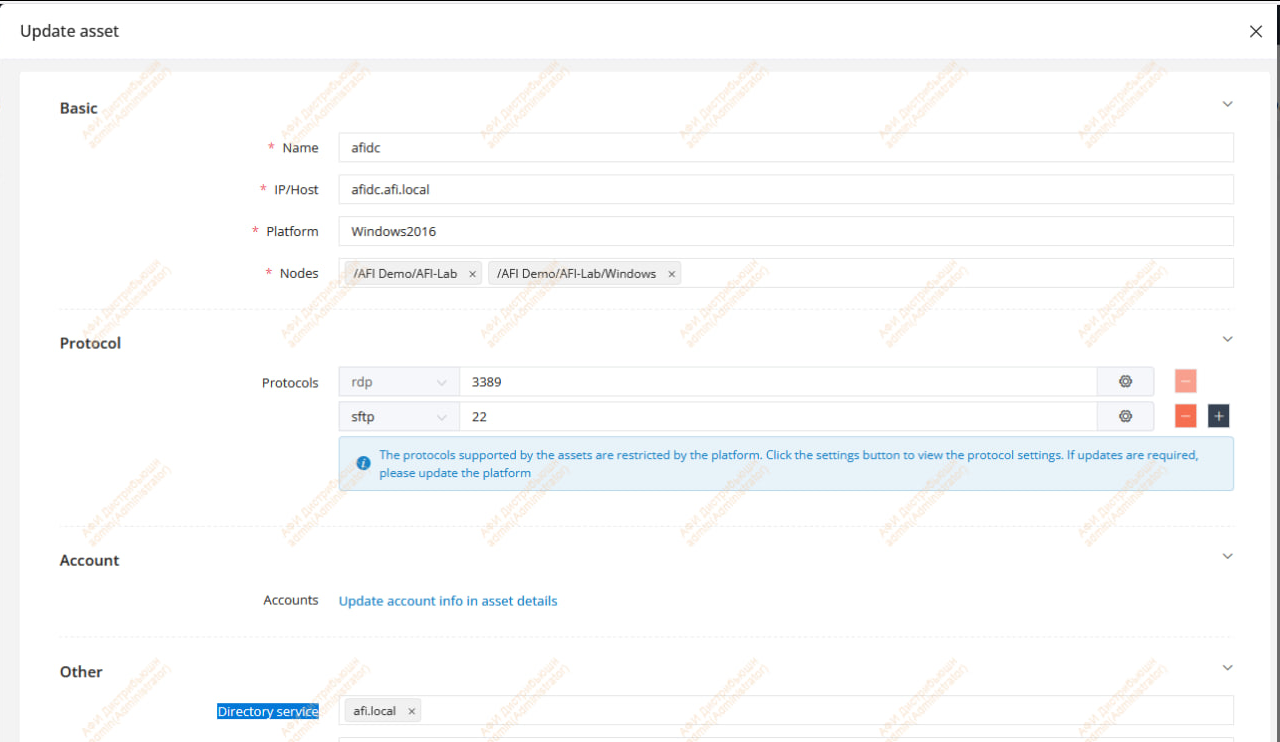
The domain accounts will now appear for each domain asset, and you will be able to use them for connections.